How to Access Your Laboratory and Diagnostic Results Online
September 3, 2026
How to Download Your Medical Results Online
No need to visit the clinic just to get a copy of your results. With Whealth.ph, you can conveniently access and download your medical results online anytime.
Follow these simple steps:
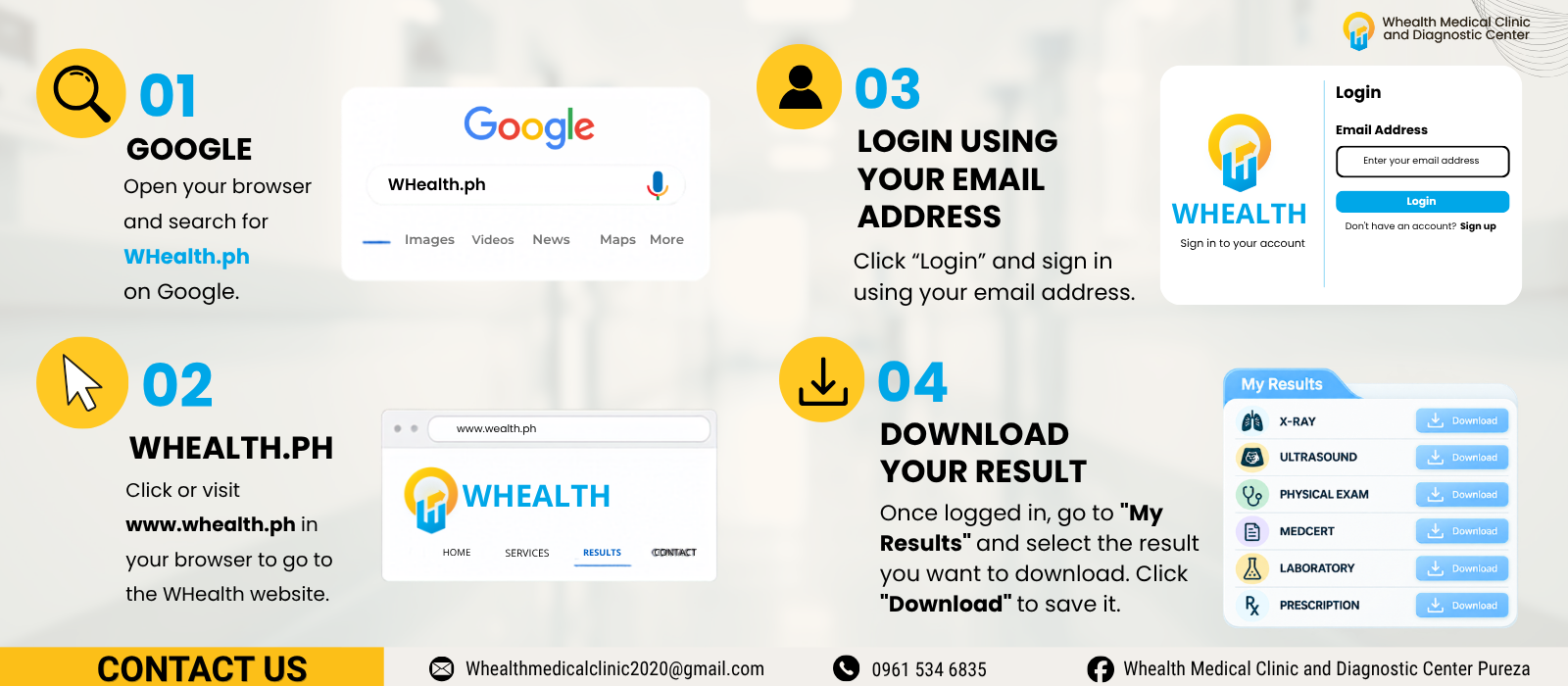
1. Search for Whealth.ph
Open your preferred browser and search for Whealth.ph on Google.
2. Visit Whealth.ph
Click or enter www.whealth.ph in your browser to access the Whealth website.
3. Log in to Your Account
Click “Login” and enter the email address you used when registering with Whealth.
4. Go to “My Results”
Once logged in, navigate to the “My Results” section. You can view the available results associated with your account.
5. Select Your Result
Choose the result you want to access, such as your laboratory, X-ray, ultrasound, physical examination, or other available medical records.
6. Download Your Result
Click “Download” to save a copy of your result to your device. You can then keep it for your personal records or share it with your healthcare provider when needed.